 vanilla-closedcode
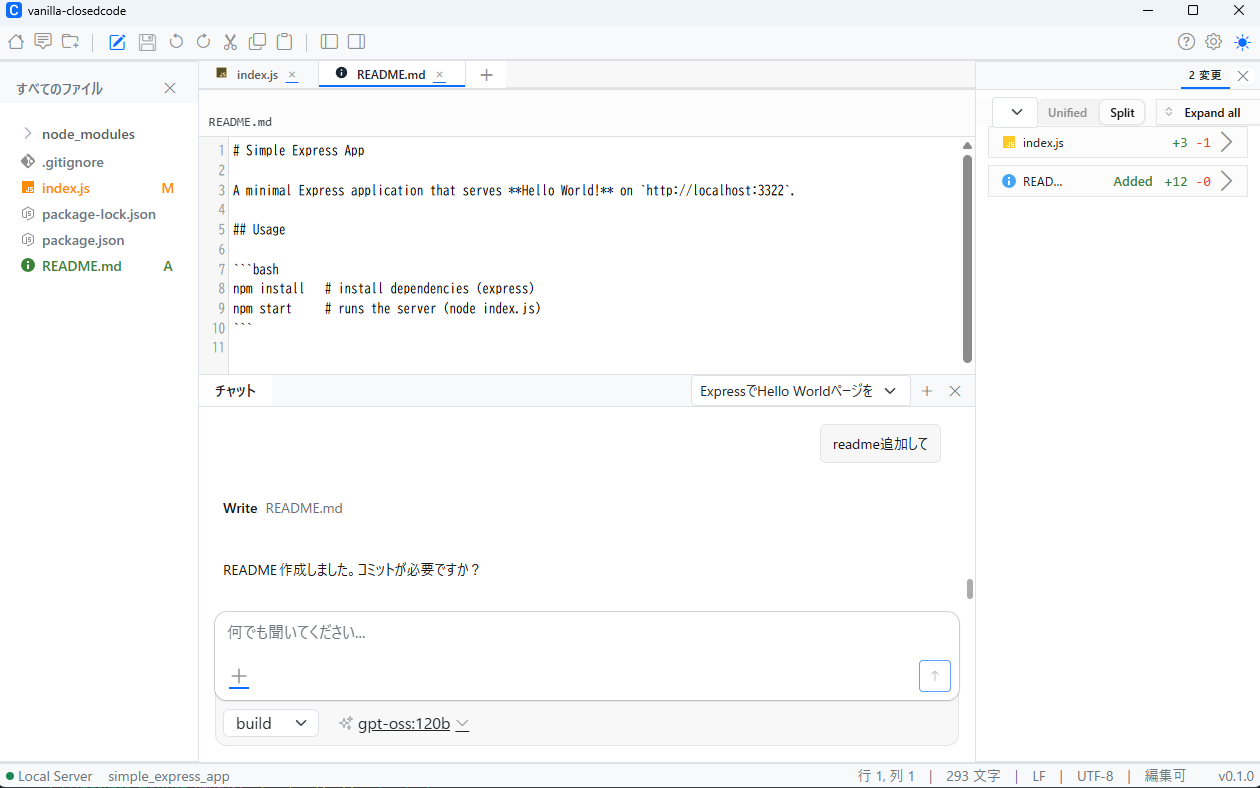
Highlights
Local-LLM-only by design
All inference runs against a model on your own machine or LAN. No cloud providers, no API keys, no telemetry of your code or prompts.
Desktop app + CLI
Use the closedcode command-line agent or the desktop app —
both share the same core engine.
Edits, runs, and reviews code
Reads your project, proposes and applies edits across files, and runs tools — with you in the loop for every change.
Modular monorepo
Built as composable packages (core, SDK, app, CLI) so you can embed or extend the agent in your own tooling.
Bring your own model
Point it at any OpenAI-compatible endpoint — Ollama, LM Studio, llama.cpp, or your own server. No vendor lock-in.
Download
Builds are published on the GitHub Releases page. Grab the installer for your platform from the latest release.
- Windows (64-bit) — GUI installer
.exe(code-signed), plus a CLI/TUI archive. - macOS (Apple Silicon / arm64) — GUI
.dmg, plus a CLI/TUI archive. - Linux (x64) — GUI
.AppImage/.deb/.rpm, plus a CLI/TUI archive. - A local LLM runtime (for example an Ollama / llama.cpp compatible endpoint) is required for inference.
Getting started
- Download and install vanilla-closedcode from the Releases page.
- Point it at your local model endpoint in the settings (no cloud keys needed).
- Open your project folder, then chat with the agent or run the
closedcodeCLI from a terminal. - Review and accept the proposed edits — nothing is sent to a remote server.
Documentation
JSDoc-generated API documentation for the source is published in two languages:
See the user manual for usage guides and configuration.
Support
Join the community Discord for help and discussion. Questions, bug reports, and feature requests are also welcome on the GitHub issue tracker, or contact support@informanellica.com.